The Skylight app is for managing Skylight devices like Frames and Calendars. With it, you can send photos and videos to your Skylight Frame, add text captions, and download pictures to your phone. It helps organize your Skylight Frames in one place and provides cloud backup for all your photos. The number one reason to use it is the ease of sharing and managing precious memories with your Skylight devices from anywhere in just a few taps.
Video playback on Skylight Frame
This feature allows you to play videos on your Skylight Frame. It means you can share not just photos, but also your special moments captured in videos with friends and family. This feature adds life to your memories, making them more engaging and enjoyable. It’s important because it lets you relive precious moments, turning your Skylight Frame into a dynamic showcase of your favorite videos, and enhancing the emotional connection with your loved ones.
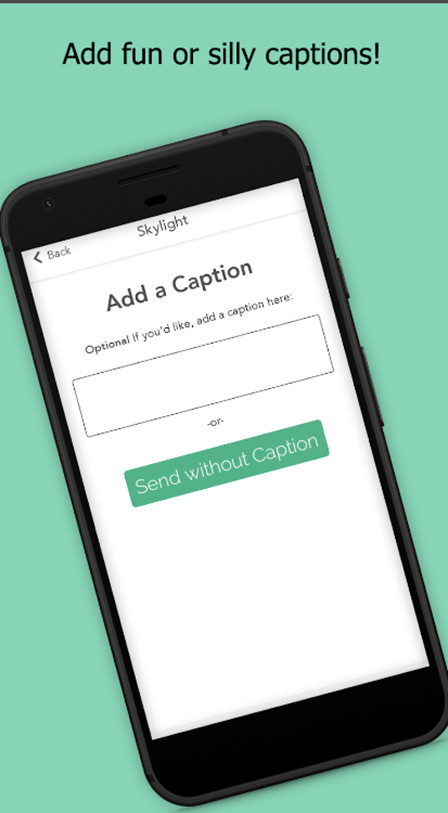
Text captions for photos
Text captions, let you add words to your photos on the Skylight app. It’s like writing a little story or message for each picture. To use it, pick a photo, tap the caption option, and type in your message. This way, when you or others view the photo on your Skylight Frame, there’s a special note to go with it. It’s a fun way to share stories or express feelings about the moments captured in your pictures.
Download photos from Skylight to your phone
The app is about downloading photos from your Skylight to your phone. It lets you keep all your special memories saved on your device, so you can access them even without an internet connection. This is vital for those who cherish having their favorite moments readily available, especially when they’re on the go or in places with limited internet access. It ensures your memories are always with you, wherever you are.
Manage multiple Skylight Frames in one app
“Manage frames,” means you can easily control all your Skylight Frames in one app. This is like having a remote for each of your picture frames. It’s vital for people who want a simple way to organize and handle multiple Skylight Frames effortlessly, ensuring that sharing memories with loved ones through various frames is seamless and convenient.
Cloud backup for all photos
Cloud backup, means all your Skylight photos are securely stored forever. Imagine, that if your phone is lost or damaged, your precious memories are always safe in the cloud. Use it for peace of mind, ensuring that every special moment captured on your Skylight device is backed up and accessible whenever you need it, guaranteeing a better outcome in preserving and cherishing your memories.
How to download Skylight for Laptop
To get Skylight download for PC using the Nox Player emulator, first, get Nox Player from its official site. Install Nox, open it, and sign in with your Google account. In the emulator, go to the Google Play Store, search for “Skylight,” and click “Download or Install.” Once installed, open Skylight, log in, and manage your Skylight devices seamlessly on your laptop, reliving memories with ease. Enjoy the app’s features on a larger screen for a more immersive experience.